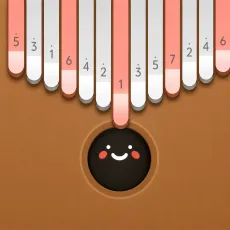
Keylimba
- QWERTYUIOP - Play notes
- Hold Space - Play one octave higher
- Left Shift - Cycle through looper record / play / stop
- Right Shift - Open or close the menu














TURN YOUR KEYBOARD INTO A KALIMBA
Keylimba is a casual music maker game that recreates the gentle sound and simple layout of a digital kalimba. Instead of following a fixed song or rhythm chart, you can freely play individual notes and experiment with melodies at your own pace. The game is designed to feel simple and approachable, making it easy to pick up the controls and start creating sounds immediately.
MAKE YOUR OWN MELODY
Each keyboard key corresponds to a kalimba note, allowing you to play melodies directly from your computer. You can also hold Space to access a higher octave, giving you more notes to work with when building a tune.
For players who enjoy experimenting, the built-in looper provides a way to record and replay what you've played. Try a few notes, build a melody, and see what you can create.
Keyboard Controls
- QWERTYUIOP - Play notes
- Hold Space - Play one octave higher
- Left Shift - Cycle through looper record / play / stop
- Right Shift - Open or close the menu
A Simple Tool for Musical Experiments
Keylimba is less about winning and more about playing with sound. You don't need to memorize complicated controls or follow a strict tempo. Try different note combinations, layer ideas with the looper, and use the higher octave to give your melodies more range.
MAKE SOME MUSIC
Ready for a quieter rhythm experience? Play a few notes in Keylimba, experiment with your own melody, and then discover more music and rhythm games for your next session.