Sprunki: Create & Play
- Left mouse button - select parts, drag characters, arrange the stage
- Click a performer - mute or unmute
- Creator menu - customize your own Sprunki
- Reset - clear the stage lineup




WHAT IS SPRUNKI?
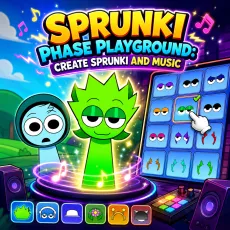
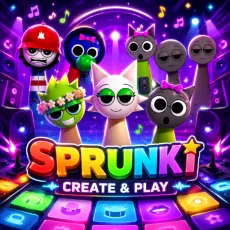
Sprunki: Create & Play adds a creation layer to the familiar mixing formula. Before you build a track, you can build a performer, choosing looks, colors, and accessories for your own custom Sprunki and then place your creation on stage alongside the classic cast. It is the mod for players who always wished they could join the band instead of just conducting it.
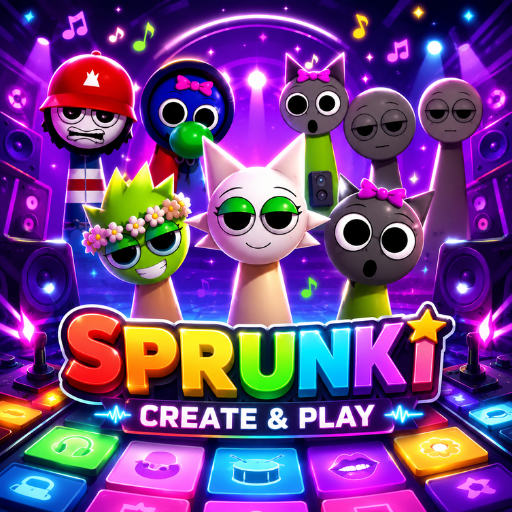
Colorful Sprunki Create And Play
How to Play
Start in the creator: assemble your custom character from the available parts and styles. Then move to the stage and mix as usual - drag performers on, layer their loops, and slot your original creation into the lineup. The rest of the cast works exactly like standard Sprunki, so your custom character becomes one voice in a full arrangement you control.
Controls
- Left mouse button - select parts, drag characters, arrange the stage
- Click a performer - mute or unmute
- Creator menu - customize your own Sprunki
- Reset - clear the stage lineup
What makes Sprunki: Create & Play different
- Character creation adds ownership - the band literally includes you.
- Custom performers make screenshots and shared mixes feel personal.
- All the standard mixing depth is still here underneath the creator.
Why creative players pick Sprunki: Create & Play
Sprunki has always been about expression through sound; Create & Play extends that to appearance. Designing a performer and then hearing them hold their own in the mix scratches the same itch as designing an avatar - and it makes every session feel a little more yours.
FAQs
Is Sprunki: Create & Play free to play?
Yes. Sprunki: Create & Play is free to play in the browser with no download or registration required.
What are the controls for Sprunki: Create & Play?
The mouse does everything: pick parts in the creator, drag characters onto the stage, and click performers to mute or unmute their loops.
Can I play Sprunki on mobile?
Yes. Sprunki works well on phones and tablets - drag-and-drop mixing translates naturally to touch. Press and hold a character to pick them up, drag them onto the stage, and tap any performer to mute or unmute their loop. Desktop offers finer control when the stage gets crowded, but the full experience is available on touchscreens with nothing extra to install.