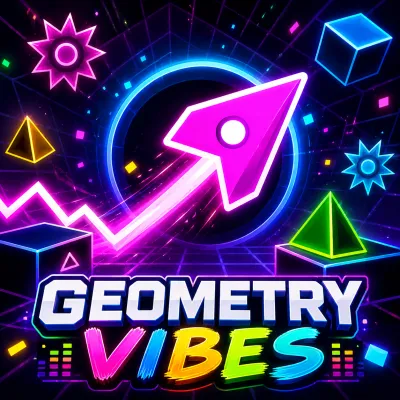
Geometry Vibes 3D
- Mouse or arrow keys - steer through the tunnel
- Hold input - sustained movement for long weaves
- Instant retry - restart on crash
- Level select - pick your soundtrack




What is Geometry Vibes 3D?
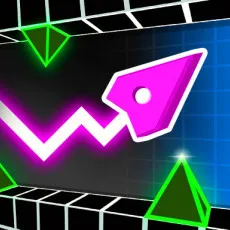
Geometry Vibes 3D takes the beat-synced runner formula into the third dimension. Instead of a flat corridor, you fly through 3D tunnels and open arenas where obstacles come from every angle and, as always, arrive on the beat. The added depth changes the skill: reading distance now matters as much as timing.
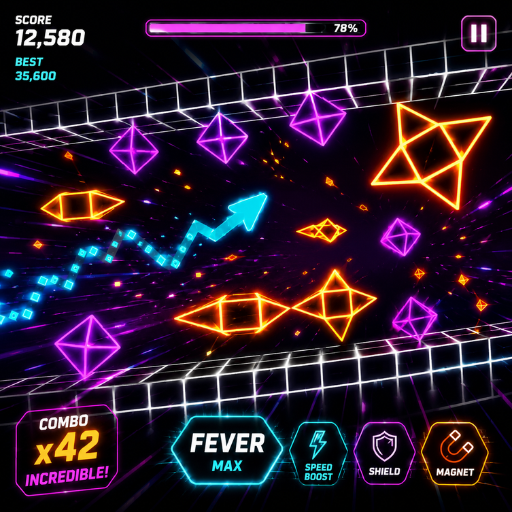
Geometry Vibes 3D: Fly Through Impossible 3D Levels
How to Play
Steer your craft through oncoming obstacle patterns while the track sets the rhythm of every hazard. Movement is continuous and forward; your job is lateral - slide, weave, and line up safe gaps before they reach you. The music remains your best warning system: pattern changes land on musical transitions, so listen for the build-ups.
Controls
- Mouse or arrow keys - steer through the tunnel
- Hold input - sustained movement for long weaves
- Instant retry - restart on crash
- Level select - pick your soundtrack
Tips for reading 3D patterns in Geometry Vibes 3D
- Watch the far end of the tunnel, not your ship - depth is reaction time.
- Musical build-ups telegraph pattern shifts; pre-position before the drop.
- Corner routes are usually safer than center lanes in dense sections.
Why the third dimension earns its place
Plenty of 2D runners fake variety with new skins; Geometry Vibes 3D earns it with new geometry. Judging depth on beat is a genuinely different skill from timing jumps, and mastering both at once produces the series' most satisfying flow state.
FAQs
Is Geometry Vibes 3D free to play?
Yes. Geometry Vibes 3D is free and runs directly in your browser - no install needed.
What are the controls for Geometry Vibes 3D?
Steer with the mouse or arrow keys, hold for sustained movement, and retry instantly after a crash.
Can I play Geometry Vibes 3D on mobile?
Yes. Geometry Vibes 3D plays smoothly on mobile - the one-touch control scheme maps directly to a touchscreen: press and hold anywhere to act, lift your finger to release. Many players actually prefer touch for this style of runner, since finger taps feel more immediate than mouse clicks. For the hardest precision sections, a desktop keyboard still gives slightly steadier timing.