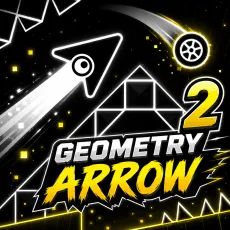
Geometry Arrow 2
- Hold left mouse button or spacebar - lift
- Release - descend
- Level select - six caves, six tempos
- Instant retry - respawn at the cave mouth





What is Geometry Arrow 2?
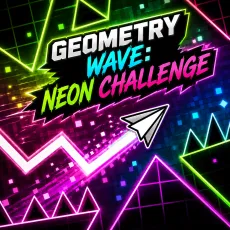
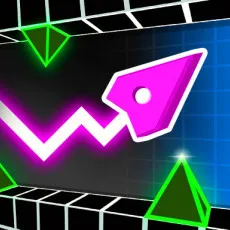
Geometry Arrow 2 is the sequel to the popular arrow-flight runner: six selectable cave levels, each a winding obstacle course tuned to its own track. Your arrow obeys one input and the caves are designed so that using it exactly on the beat is the difference between soaring and shattering.
How to Play
Hold to lift the arrow, release to let it fall, and carve a flight path through stalactites, gates, and squeeze points. Each of the six levels has a distinct pattern language and tempo, so mastery does not transfer automatically - a cave that flows at 120 BPM will punish the timing you learned at 90. Clear them all to earn genuine bragging rights.
Controls
- Hold left mouse button or spacebar - lift
- Release - descend
- Level select - six caves, six tempos
- Instant retry - respawn at the cave mouth
Tips for clearing all six caves in Geometry Arrow 2
- Learn each cave's tempo before its layout - timing first, route second.
- The arrow drifts on release; account for momentum in tight descents.
- Caves 5 and 6 chain patterns without rest - plan breathing points in the music.
Why Geometry Arrow 2 stands out among runners
The six-level structure gives it something most one-button runners lack: a sense of a complete campaign. Each cave is a distinct musical argument, and finishing the set feels like beating an album on expert. Short, sharp, and honest about its difficulty.
FAQs
Is Geometry Arrow 2 free to play?
Yes. Geometry Arrow 2 is free to play in the browser - no download or account needed.
What are the controls for Geometry Arrow 2?
Hold the left mouse button or spacebar to lift the arrow and release to descend. All six caves run on that single input.
Can I play Geometry Arrow 2 on mobile?
Yes. Geometry Arrow 2 plays smoothly on mobile - the one-touch control scheme maps directly to a touchscreen: press and hold anywhere to act, lift your finger to release. Many players actually prefer touch for this style of runner, since finger taps feel more immediate than mouse clicks. For the hardest precision sections, a desktop keyboard still gives slightly steadier timing.